This post simplifies how your computer translates website names into numeric IP addresses, focusing on «systemd-resolved» as a smart local intermediary to speed up the process on modern Linux systems like Ubuntu.
Ever wondered how your computer magically finds websites by name, like «wondtech.com», instead of you typing a complex series of numbers? Today's news about DNS on Ubuntu 26.04 sheds light on this everyday magic. Imagine the internet as a vast city and websites as houses within it. Each house has a unique numerical address (an IP address). But instead of memorizing these numbers, we prefer to use names (like a website's name). This is where the Domain Name System (DNS) comes in; it's like the internet's 'phone book' that translates human-friendly names into machine-readable numbers (IPs).
Historically, computers often connected directly to a central 'phone book'. However, modern systems like Ubuntu 26.04 employ a smarter approach. Your computer doesn't ask the big phone book directly; instead, it consults a 'smart personal assistant' living inside it (called «systemd-resolved», operating on the local address 127.0.0.53).
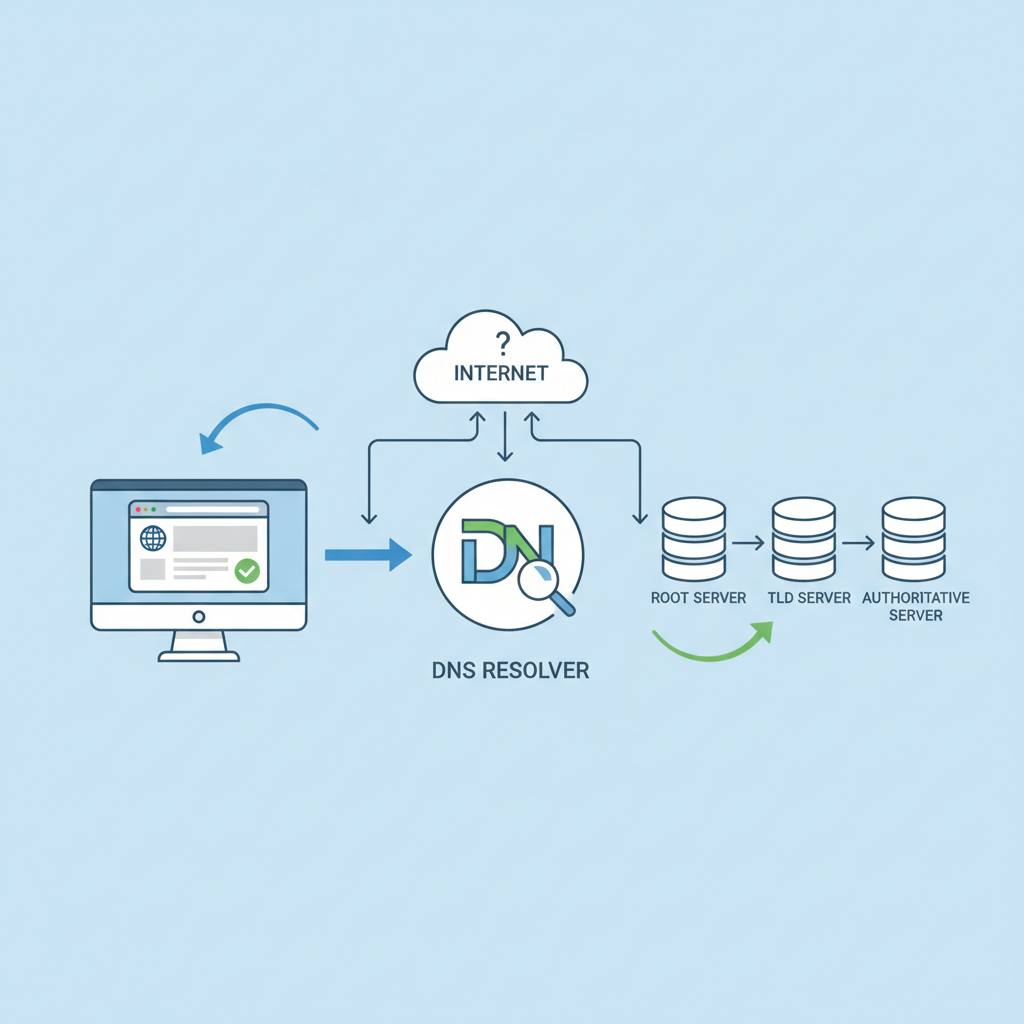
How does this assistant work? First, your computer checks its own 'friends list' of addresses it already knows (the «/etc/hosts» file). If the name is there, it quickly gets the address. If not found, it asks the «systemd-resolved» assistant. This assistant has a memory (a cache), so if it has looked up this website recently, it will tell you the address immediately to speed things up. If the assistant doesn't know the address, it then contacts the 'big phone books' on the internet (the actual upstream DNS servers it learned from your network settings).
This multi-layered system makes internet browsing faster and more flexible. Imagine not needing to search a giant phone book every single time; your assistant does the heavy lifting and remembers frequently accessed addresses. Since the assistant manages everything, it's important to know how to tell it which 'big phone books' to use. On Ubuntu, this is often done through your network configuration, like «Netplan», rather than manually editing files that the assistant might automatically rewrite. When you type a website name, your request doesn't just zoom off to a distant DNS server. Instead, there's an organized process that starts with your local address list, then goes through your smart «systemd-resolved» assistant, which might answer from its cache or forward your request to the larger internet DNS servers, all to ensure a smooth and fast connection.
Historically, computers often connected directly to a central 'phone book'. However, modern systems like Ubuntu 26.04 employ a smarter approach. Your computer doesn't ask the big phone book directly; instead, it consults a 'smart personal assistant' living inside it (called «systemd-resolved», operating on the local address 127.0.0.53).
How does this assistant work? First, your computer checks its own 'friends list' of addresses it already knows (the «/etc/hosts» file). If the name is there, it quickly gets the address. If not found, it asks the «systemd-resolved» assistant. This assistant has a memory (a cache), so if it has looked up this website recently, it will tell you the address immediately to speed things up. If the assistant doesn't know the address, it then contacts the 'big phone books' on the internet (the actual upstream DNS servers it learned from your network settings).
This multi-layered system makes internet browsing faster and more flexible. Imagine not needing to search a giant phone book every single time; your assistant does the heavy lifting and remembers frequently accessed addresses. Since the assistant manages everything, it's important to know how to tell it which 'big phone books' to use. On Ubuntu, this is often done through your network configuration, like «Netplan», rather than manually editing files that the assistant might automatically rewrite. When you type a website name, your request doesn't just zoom off to a distant DNS server. Instead, there's an organized process that starts with your local address list, then goes through your smart «systemd-resolved» assistant, which might answer from its cache or forward your request to the larger internet DNS servers, all to ensure a smooth and fast connection.