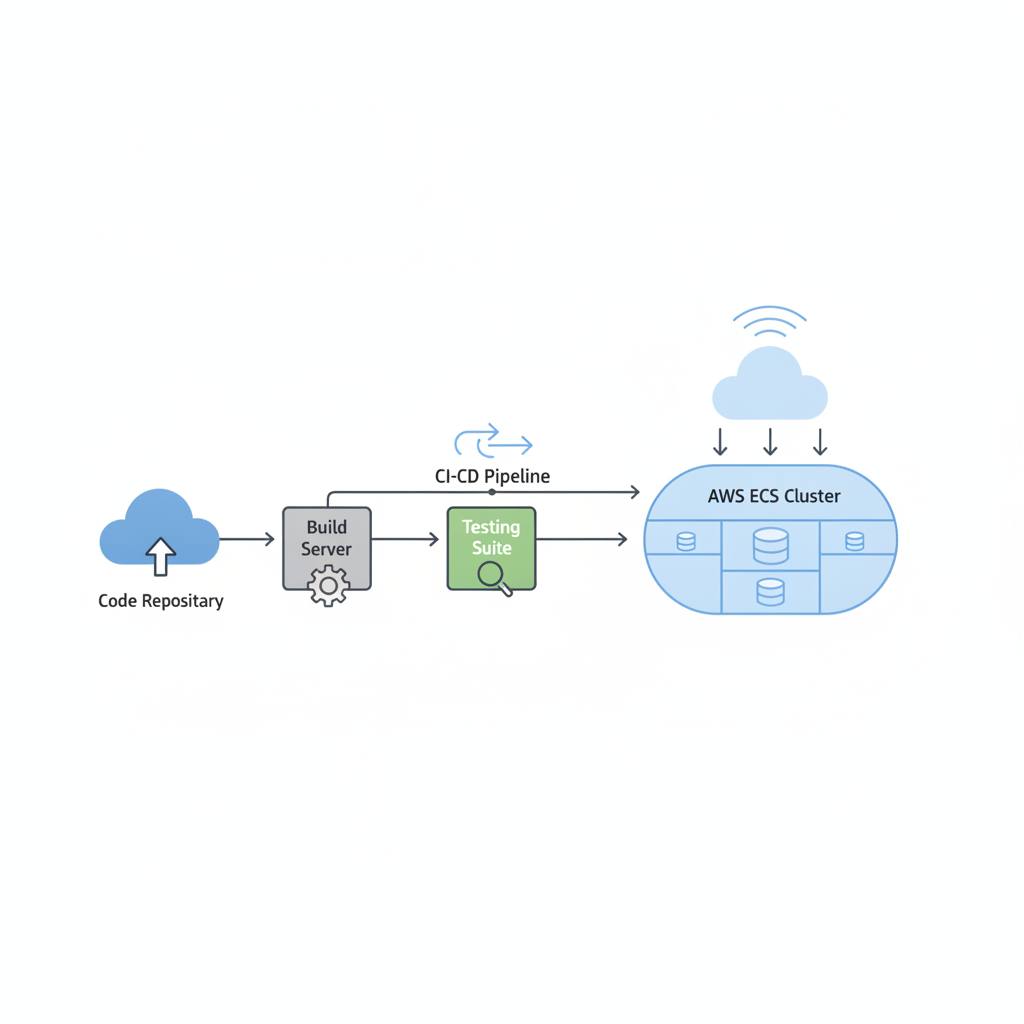
We're diving into a practical guide showing how to efficiently deploy applications to AWS Elastic Container Service (ECS), highlighting the full DevOps lifecycle and CI/CD automation.
Ever wondered how to deploy your applications to the cloud easily and securely? In today's fast-paced development world, application deployment has become a critical part of the job. We've got exciting news from the world of web development and programming, highlighting a practical guide for building a complete deployment pipeline using CI/CD on AWS Elastic Container Service (ECS). This means launching your new application is no longer a complex task, but rather an organized and automated process.
Imagine yourself as a DevOps Engineer, with a skilled Software Developer like 'Jules' on your team. Jules's job is to write the application code and create a professional website for a product of your choice. Your responsibility, however, lies in managing the entire DevOps lifecycle, from code creation all the way to reaching end-users online. The end result? Your website displays your product's name, operates efficiently, and features a responsive design across any device.
This guide explains how to build a fully integrated AWS environment that supports your work. It starts with a Virtual Private Cloud (VPC) complete with public and private subnets, moves through an Application Load Balancer that distributes traffic, and ultimately reaches the Elastic Container Service (ECS) that hosts your application. All these components work together to ensure your application reaches users securely and reliably.
The exciting part is how Continuous Integration (CI) is automated. As soon as 'Jules' the developer updates the code and pushes it to GitHub, a set of automatic actions begin using GitHub Actions. These actions ensure code quality through SonarQube, scan for security vulnerabilities with Trivy, and then build a Docker image for your application. After that, this secure and scanned image is pushed to Amazon ECR (AWS's Elastic Container Registry) with a specific version tag, ensuring each version is unique and immutable. This guarantees that the application being deployed is safe and ready to run. Simply put, this approach allows you to focus on developing new features rather than worrying about complex deployment details.
Imagine yourself as a DevOps Engineer, with a skilled Software Developer like 'Jules' on your team. Jules's job is to write the application code and create a professional website for a product of your choice. Your responsibility, however, lies in managing the entire DevOps lifecycle, from code creation all the way to reaching end-users online. The end result? Your website displays your product's name, operates efficiently, and features a responsive design across any device.
This guide explains how to build a fully integrated AWS environment that supports your work. It starts with a Virtual Private Cloud (VPC) complete with public and private subnets, moves through an Application Load Balancer that distributes traffic, and ultimately reaches the Elastic Container Service (ECS) that hosts your application. All these components work together to ensure your application reaches users securely and reliably.
The exciting part is how Continuous Integration (CI) is automated. As soon as 'Jules' the developer updates the code and pushes it to GitHub, a set of automatic actions begin using GitHub Actions. These actions ensure code quality through SonarQube, scan for security vulnerabilities with Trivy, and then build a Docker image for your application. After that, this secure and scanned image is pushed to Amazon ECR (AWS's Elastic Container Registry) with a specific version tag, ensuring each version is unique and immutable. This guarantees that the application being deployed is safe and ready to run. Simply put, this approach allows you to focus on developing new features rather than worrying about complex deployment details.